Cut no-shows with one-tap saves
Every registrant gets an Add to Calendar button that drops your session into Google, Apple, or Outlook — with the join link inside.
Turn registrations into calendar saves and see exactly which email, post, or ad drove the people who actually showed up.
Every registrant gets an Add to Calendar button that drops your session into Google, Apple, or Outlook — with the join link inside.
UTM-tagged links show which channel, campaign, or partner drove each calendar save, so you double down on what fills seats.
Spin up a branded event page and embeddable button for each session — no code, no designer.
Announce the webinar, drop the Add to Calendar button into your email and landing page, and share the hosted event page everywhere else. As registrants save the date, Invitly ties the views, downloads, and provider clicks back to the source — so by launch day you know which channel earned the room.
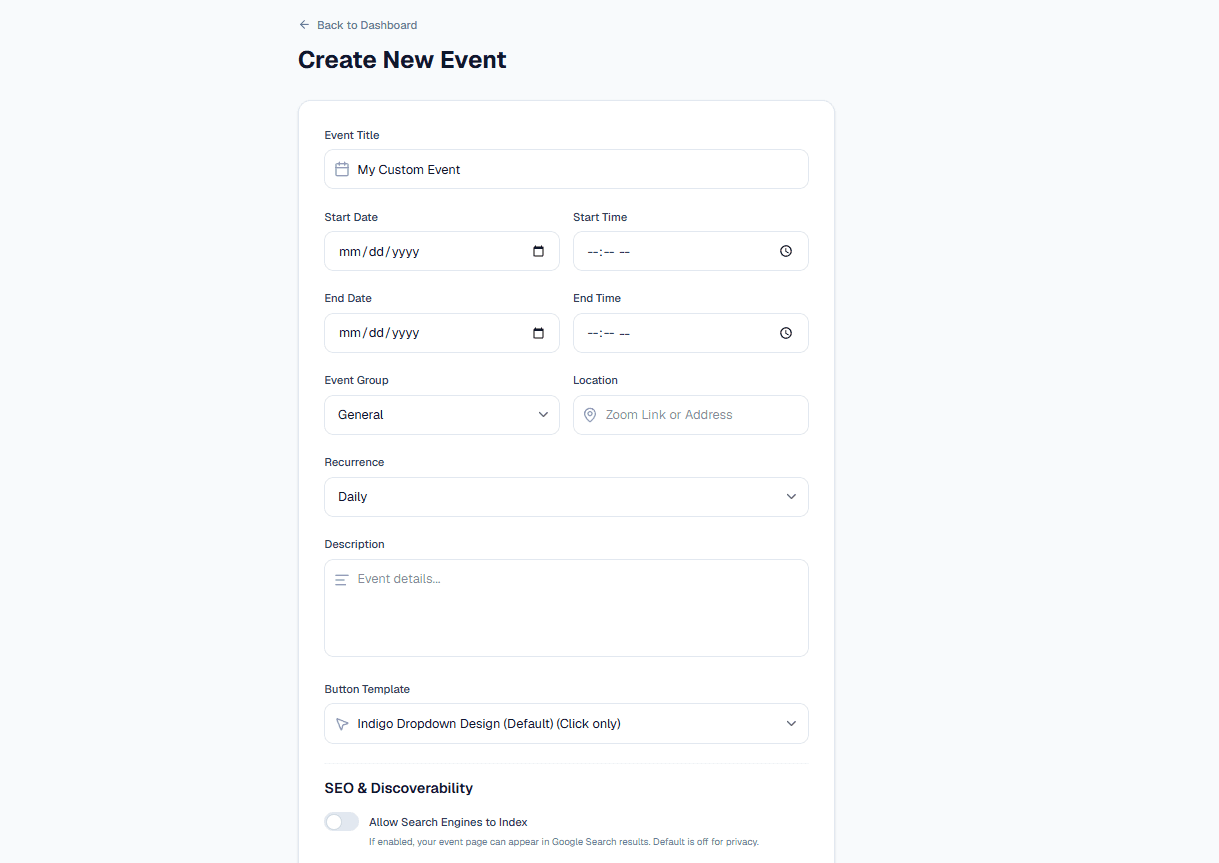
Yes. The event description and location carry your meeting URL, so attendees have the link right in their calendar reminder.
Create a free event page and start turning registrations into calendar saves you can attribute.
Start free