01
Create
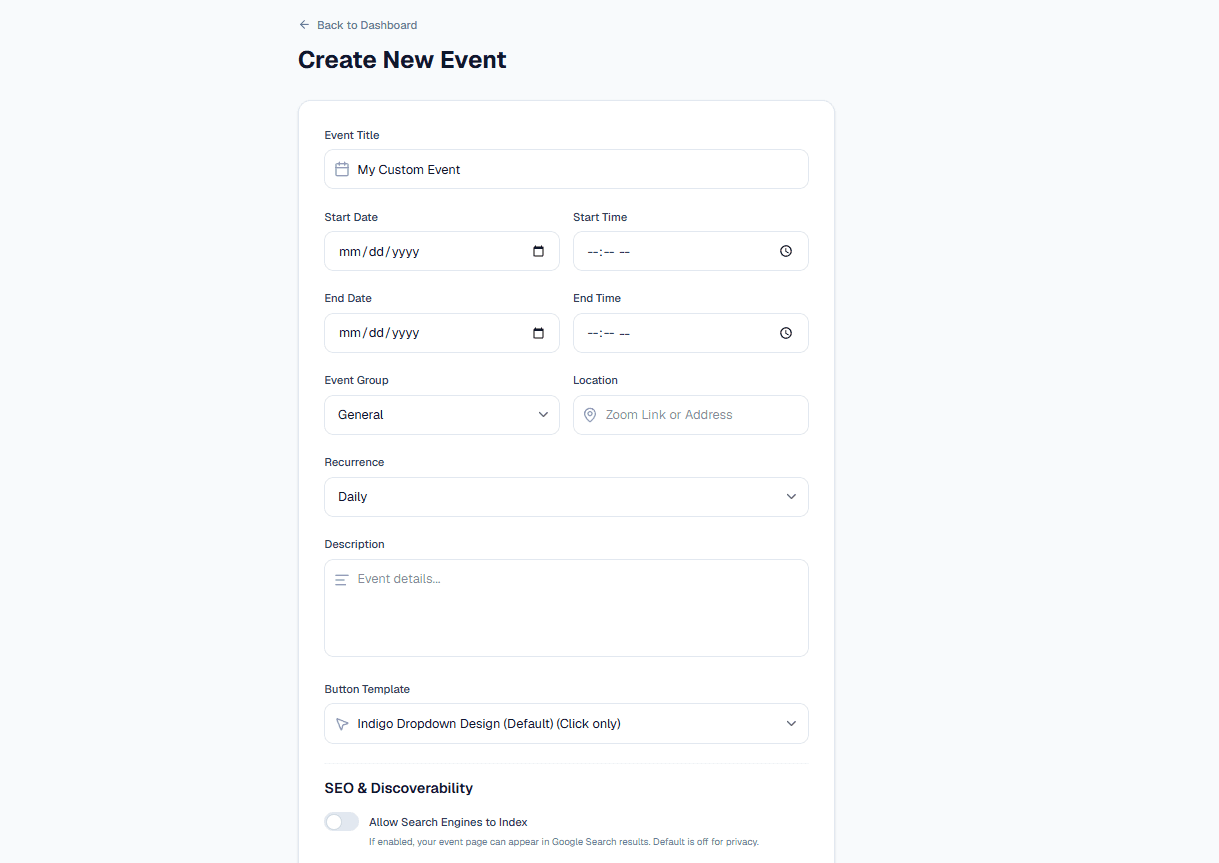
Enter the event information once and choose privacy/discoverability settings for the public page.
Invitly turns event details into hosted pages, branded Add to Calendar buttons, embeddable widgets, and links guests can use on the calendar app they already trust.
Add the details guests need: title, time, location, recurrence, description, SEO indexing, and the button template for the public page.
Workflow
01
Enter the event information once and choose privacy/discoverability settings for the public page.
02
Pick or design a calendar button experience that matches the event, audience, and device.
03
Publish the page, embed the button in a site or campaign, or distribute direct calendar links.
04
Track event page views, calendar downloads, and provider clicks to understand engagement.
What the product does
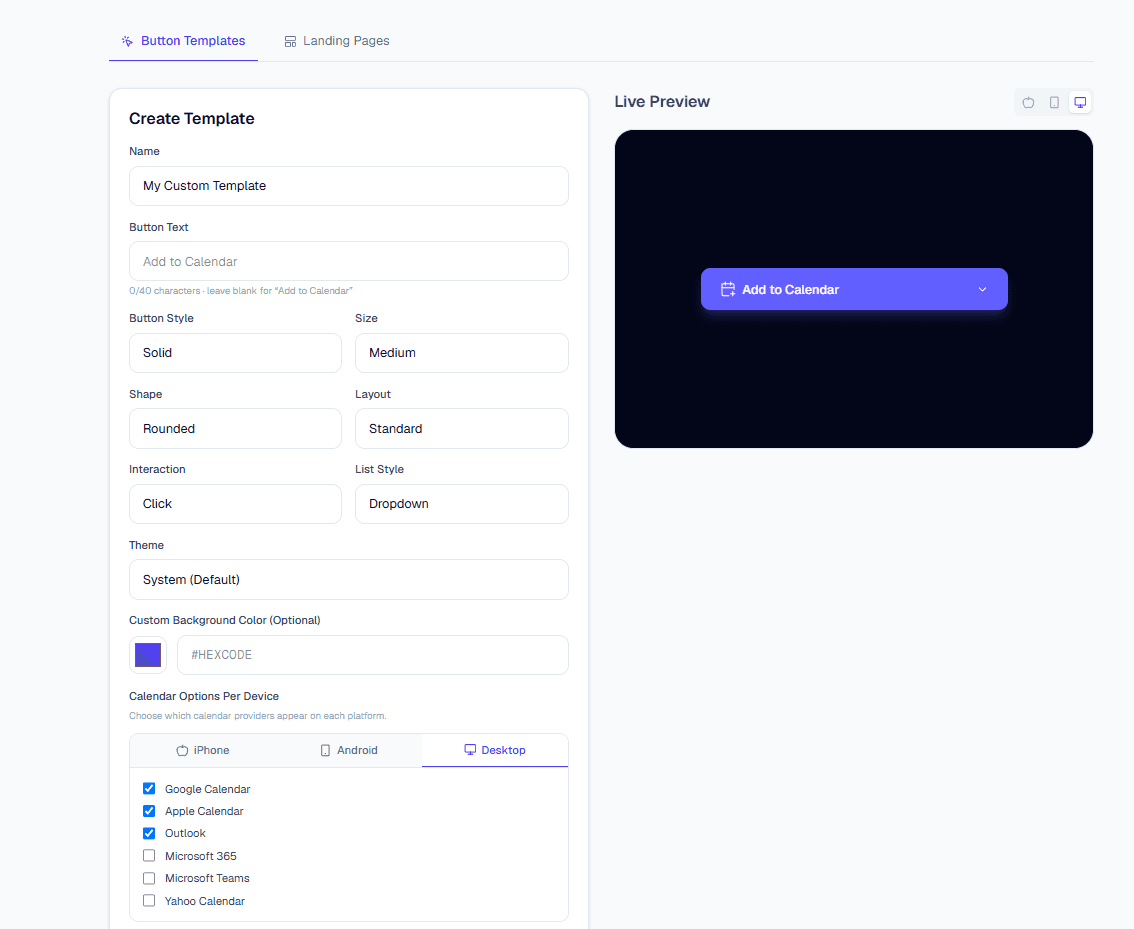
Customize button text, style, shape, layout, interaction, and provider choices by device with a live preview.
A shareable public page for each event with the essentials guests need before saving it.
Google, Apple, Outlook, Microsoft 365, Teams, Yahoo, and .ics downloads from one experience.
Reusable button designs with platform-specific provider visibility for mobile and desktop.
Private calendar subscription feeds help audiences sync whole event groups automatically.
Who uses it
Start with a free account, create an event page, and let guests save it to the calendar they already use.
Create your first event